It's not about the vectors. It's about getting the right result.
As developers take their RAG and search apps to production, they want three things above all: precision, scale, and simplicity. In this article, we introduce WikiSearch , our flagship demo that delivers on all these fronts, and illustrate how you can build scalable search systems using LanceDB.
WikiSearch is a search engine that stores and searches through real Wikipedia entries. The demo showcases how to use LanceDB's full-text and hybrid search features to quickly find relevant information in a large dataset like Wikipedia.
Building the Wikipedia Search Engine
Here's a closer look at the steps involved in building WikiSearch, from preparing the data to performing advanced queries.
Step 1: Data Preparation
We start with a subset of the Wikipedia dataset. The data is pre-processed and cleaned to ensure it's in a consistent format. Each document in our dataset has a title and text field, which we'll use for semantic and full-text search, respectively. There are a total of ~41M entries in the dataset.
Step 2: Embedding Generation & Ingestion
💡 Note on Ingestion: For brevity, the ingestion process described here is a basic version. The live demo app utilizes an advanced, enterprise-ready LanceDB feature engineering tool, geneva . You can find the exact details in the “How This Works” section of the live demo app.
To enable semantic search, we first need to convert our text data into its vector representations. This is done by generating vector embeddings, which are numerical representations of the text that capture its underlying meaning. We use the popular sentence-transformers library for this task. The resulting vectors allow us to find conceptually related content, even if the exact keywords don't match.
Here are the key performance metrics we achieved across an 8-GPU cluster:
| Metric | Performance |
|---|---|
| Ingestion | We processed 60,000+ documents per second with distributed GPU processing |
| Indexing | We built vector indexes on 41M documents in just 30 minutes |
| Write Bandwidth | We sustained 4 GB/s peak write rates for real-time applications |
Step 3: Creating the LanceDB Table and Indexes
With our data prepared and embeddings generated, the next step is to store everything in a LanceDB table. A LanceDB table is a high-performance, columnar data store that is optimized for vector search and other AI workloads. We create a table with columns for our title, text, and the vector embeddings we just created.
To ensure our searches are fast and efficient, we need to create indexes on our data. For this demo, we create two types of indexes:
- A vector index on the
vectorcolumn, which is essential for fast semantic search. - A Full-Text Search (FTS) index on the
textcolumn, which allows for quick keyword-based searches.
Step 4: Performing Queries
Now that our data is indexed, we can perform various types of queries. LanceDB's unified search interface makes it easy to switch between different retrieval techniques.
- Full-Text Search (FTS) is your classic keyword search. It's perfect for finding documents that contain specific words or phrases.
- Vector Search goes beyond keywords to find results that are semantically similar to your query. This is powerful for discovering conceptually related content.
- Hybrid Search gives you the best of both worlds. It combines the results of both FTS and vector search and then re-ranks them to provide a more comprehensive and relevant set of results. This is often the most effective approach for complex search tasks.
Here are examples of how to perform each type of search using LanceDB's intuitive API:
Full-Text Search:
Vector Search:
Hybrid Search:
Analyzing the Query
To help debug search issues and optimize performance, LanceDB provides two helpful methods: explain_plan and . This gives you a structured trace of how LanceDB executed your query.
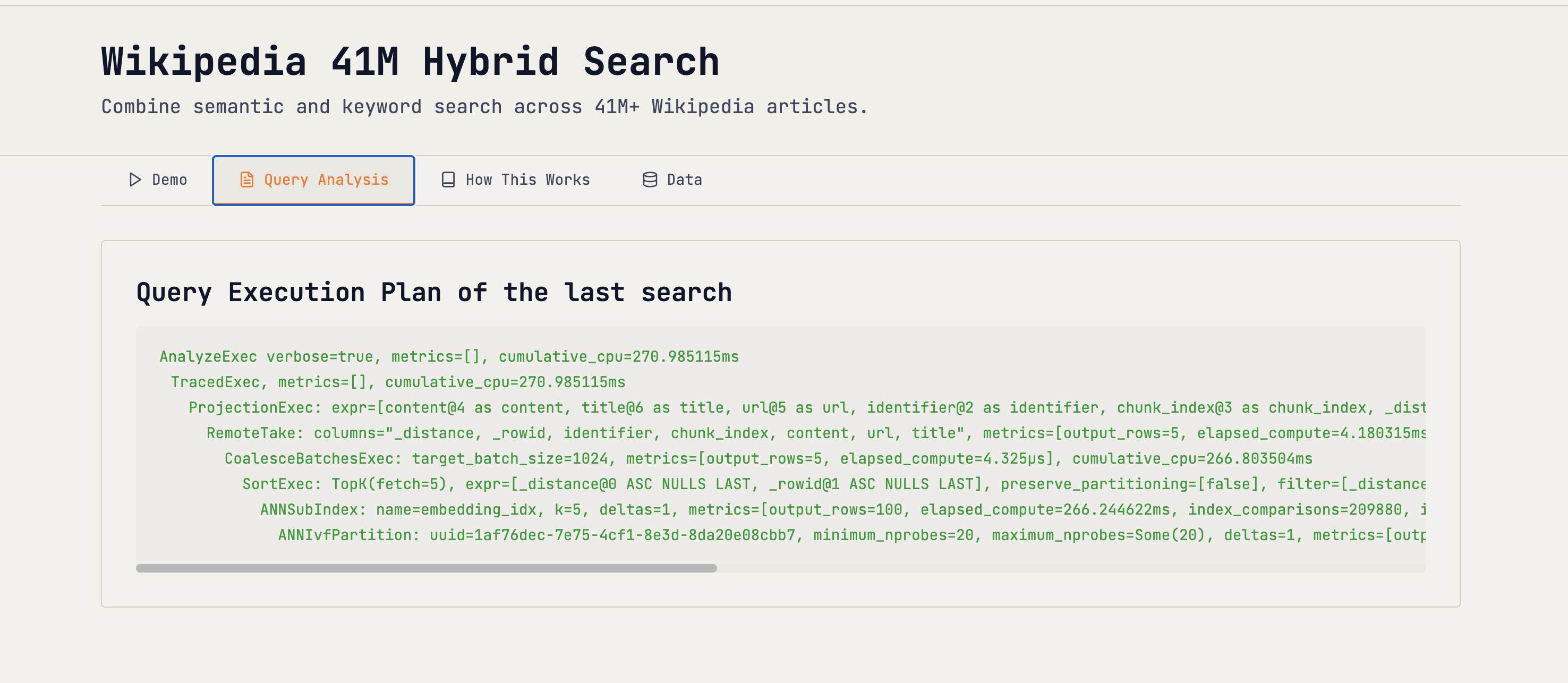
Running analyze_plan on the table with the FTS/vector index tells the following:
- Which indexes were used (FTS and/or vector) and with what parameters
- Candidate counts from each stage (text and vector), plus the final returned set
- Filters that applied early vs. at re‑rank
- Timings per stage so you know where to optimize
💡 The analyze_plan can currently be shown for Semantic & Full Text Search. Support for hybrid Search will be added soon, with detailed outline of the reranker and its effect. To learn more about Hybrid Search, give this example a try .The WikiSearch Demo
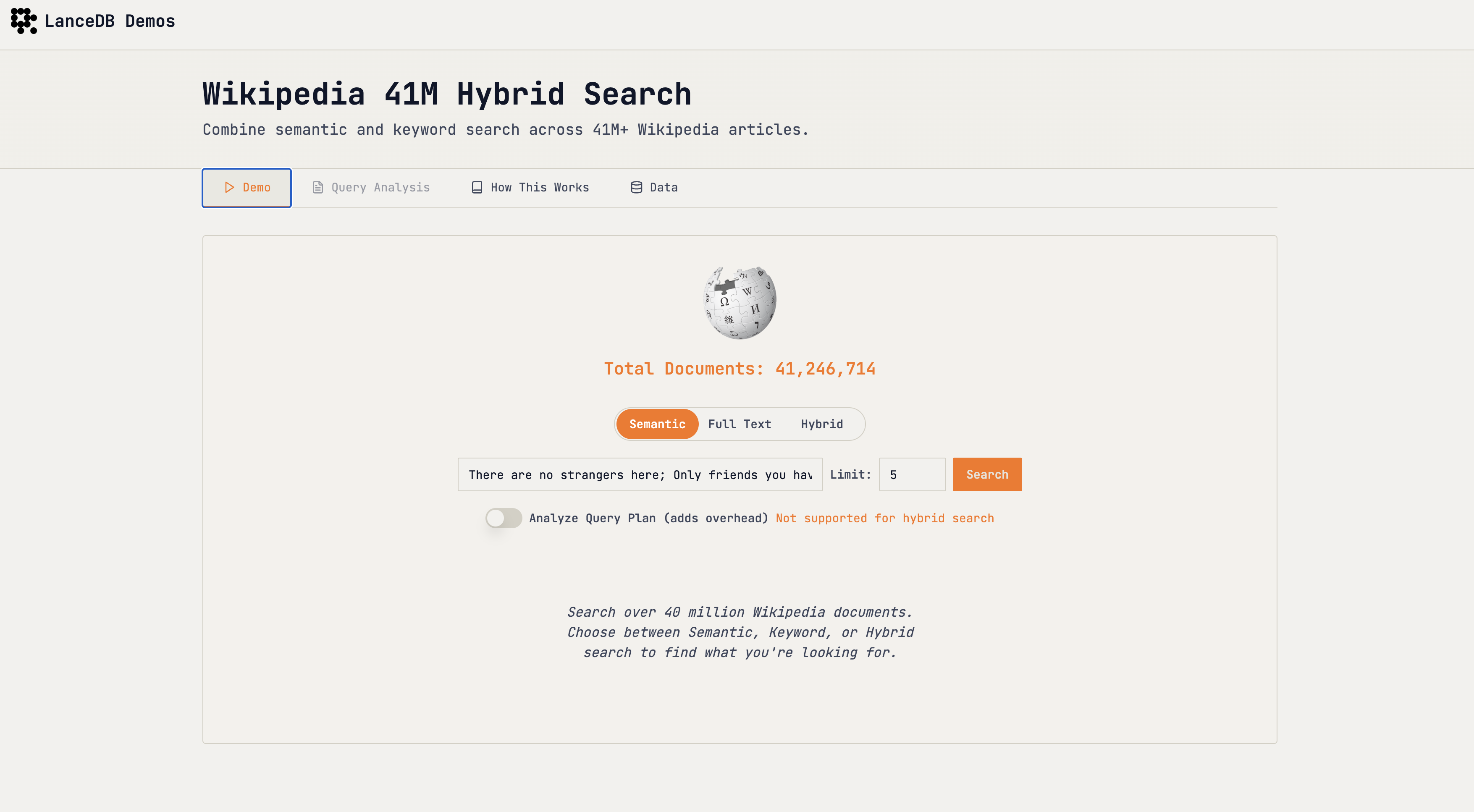
Want to know who wrote Romeo and Juliet?
The demo lets you switch between semantic (vector), full-text (keyword), and hybrid search modes. Try comparing the different modes to see how they handle various queries and deliver different results.
Conclusions
This demo showcased what's possible when you combine LanceDB's native Full-Text Search with vector embeddings to create a powerful hybrid search solution.
You get precision via keyword matching, semantic relevance via embeddings, and the scalability and performance to handle massive datasets – all in one unified platform.